
Key takeaways
- Slides are speaker support, not self-paced instruction. Converting well means rebuilding the parts that only worked with a presenter in the room, not just exporting the file.
- Lift-and-shift reformats a deck for the web in days and costs little. Instructional redesign costs more and is what turns the deck into training that teaches on its own.
- Some material transfers almost as it is, like reference content and simple procedures. Anything that relied on live discussion, demonstration, or a facilitator’s judgment usually needs rebuilding.
- Accredited and regulated content can move to eLearning without losing compliance, as long as the standard is built into the design from the start rather than added afterward.
- You can convert PowerPoint to eLearning. The harder and more useful question is how much of it deserves more than a reformat.
Most organizations sitting on years of training have it in the wrong format. The knowledge is solid, but it lives in slide decks built for a trainer to present, facilitator guides written for a room, and a few older courses that have started to look dated. You want that material as eLearning your people can take on their own schedule, on any device. Before you convert PowerPoint to eLearning, the reasonable question is how much of it can move over as it is, and how much needs real work first.
This guide covers what converting PowerPoint to eLearning actually takes: what transfers cleanly, what has to be rebuilt, where the time and budget go, and how to keep accredited or regulated content compliant while you modernize it.
Can you convert PowerPoint to eLearning?
Yes. You can publish slides to a web- and LMS-ready format like HTML5 or SCORM, or rebuild them inside an authoring tool. Either path gets you something a learner can open in a browser and that a learning management system can track.
The catch is that exporting a deck and building eLearning are different jobs. A published slide deck is still a slide deck. It plays in a browser instead of on a projector, but it still assumes someone is there to explain it. Turning it into training that works on its own is a bigger task than a file conversion, and it is closer to how eLearning actually gets built from the ground up. That is where the real decision starts.
Why a slide deck isn’t eLearning, even when it looks like one
A slide deck is designed to support a person who is talking. The slides carry the headlines; the trainer carries the explanation and the answers to whatever comes up in the room. Self-paced eLearning has to do all of that on its own, because there is no presenter to fill the gaps.
That is the part teams underestimate. Much of what made the live, instructor-led training (ILT) session work was never on the slides in the first place. It lived in the facilitator’s head and in how they read the room and adjusted. Converting the material means capturing that before it leaves with the person who holds it, then designing it back into the course. A few structured sessions with your subject matter experts (SMEs) are often where the real content of the course comes from, which is the content side of eLearning development rather than a slide-formatting exercise.
Lift-and-shift or instructional redesign: which does your content need?
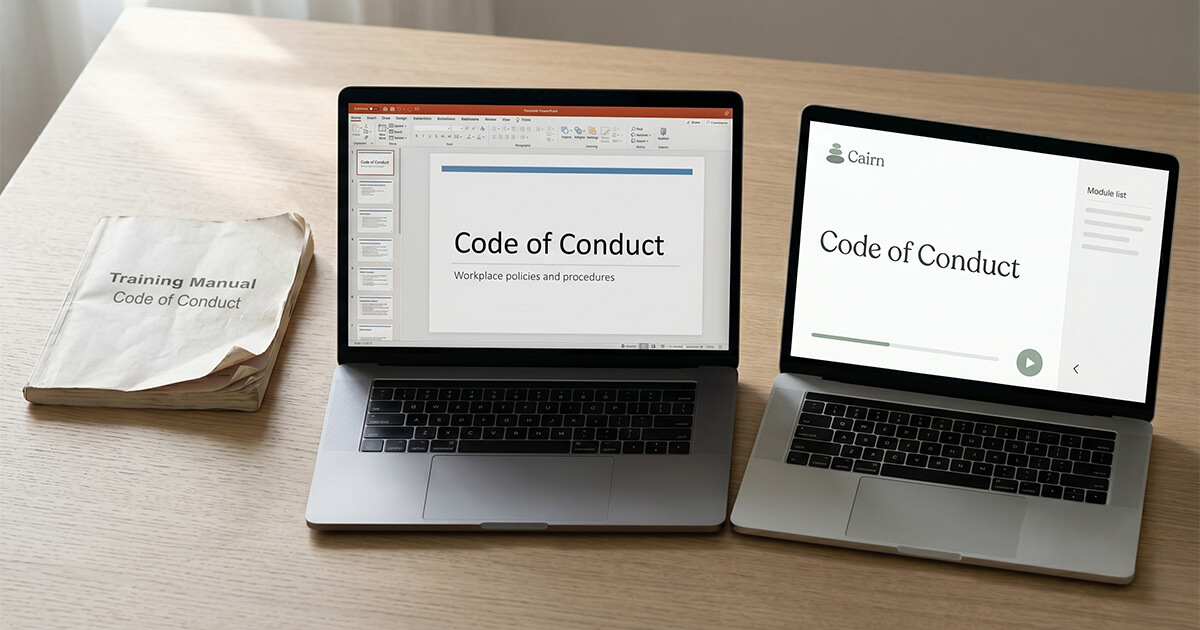
There are two real ways to convert content, and they cost very different amounts. Lift-and-shift reformats your existing slides into a clickable, trackable module. It is fast and inexpensive and keeps the content essentially as it was. Instructional redesign reworks the material into a self-paced experience, with the structure, interactions, and assessment built for a learner working alone. Most real projects land somewhere in between, lifting the parts that hold up and rebuilding the parts that do not.
| Lift-and-shift | Instructional redesign | |
|---|---|---|
| What it is | Reformatting existing slides into a web- and LMS-ready module | Rebuilding the content as a self-paced learning experience |
| Time | Days to a couple of weeks | Several weeks, depending on scope |
| Cost | Lower; below the cost of a new module | Higher; approaches the cost of new custom development |
| What you get | The same content, now trackable and accessible online | Content restructured for self-paced learning, with interactions and assessment |
| Best when | Content is already well-structured, low-stakes, or short-lived | The material is important, complex, or has to change behavior |
Cost tracks the same split. A straightforward lift-and-shift of simple content sits below the price of building a module from scratch. A full instructional redesign approaches the cost of new custom development, which runs roughly $3,000 to $25,000 per 15- to 20-minute module depending on complexity, with simulations and branching scenarios at the top of that range. The more of the course you rebuild, the closer conversion gets to the cost of building a course from the ground up.
What converts well, and what you should rebuild
Some material moves over with light work, and some needs rebuilding from the objectives up. The dividing line is usually how much the original depended on a live person.
Transfers with light work:
- Reference and resource content: policies, definitions, specifications, and other look-it-up material that was already self-explanatory on the page.
- Simple, linear procedures: step-by-step processes that don’t require judgment or discussion to follow.
- Strong existing visuals: diagrams, screenshots, and well-built graphics that still communicate without narration.
Usually needs rebuilding:
- Anything that ran on discussion: content where the learning happened in the conversation, the debate, or the questions a group raised.
- Demonstrations and practice: skills a facilitator showed and learners tried, which need scenarios or simulations to work on their own.
- Judgment and decision-making: material where the point was learning how to decide, which needs branching or scenario design instead of slides.
Sorting your content into these two buckets early saves the most expensive kind of rework, the kind that happens after a course is already built.
Can accredited or regulated content stay compliant after conversion?
Yes, as long as the standard is designed into the course from the start. Compliance survives when the new course is mapped to the requirements it has to meet, with assessment and tracking built to match. Keeping the same slides does not carry the standard over on its own. For accredited programs, building from the governing standard and the source legislation matters as much as reusing the old training materials.
This is one of the clearest cases for instructional redesign over a straight lift-and-shift. When Neovation Custom Learning converted the asbestos-awareness training for the Construction Safety Association of Manitoba, the work started from the provincial training standard set by SAFE Work Manitoba. Custom Learning worked with the association’s subject matter experts to capture the critical content and rebuild the in-person program as a self-paced eLearning course that meets the same standard and reaches people who could never make it to a classroom. The same logic applies to modernizing a dated compliance or onboarding course: the format changes, but the requirement it has to satisfy is the thing you design around. Accessibility works the same way, since meeting WCAG standards is part of building the course rather than a step you add at the end.
How Custom Learning approaches a conversion
Neovation Custom Learning is your full-service, instant L&D capacity, providing expert instructional designers, eLearning developers, and project managers who turn your organization’s raw expertise into interactive, scalable custom training. On a conversion, that means starting with what made the original work, capturing it from the people who hold it, and rebuilding the course to the standard it has to meet. Custom Learning builds in Articulate Storyline and Rise and designs to accessibility standards as part of the build. This kind of work sits alongside our broader custom eLearning development, focused on the material you already have.
If your material is simple, low-stakes, and already well-structured, a rapid-authoring tool or a freelancer may be all a lift-and-shift needs, and an in-house team with instructional design capacity can often handle it too. When the content is complex, accredited, or worth getting right, that is when a partner earns its place. If that sounds like your situation, you can contact us, and the asbestos-awareness conversion above shows what that looks like in practice.
Frequently asked questions
Can you convert PowerPoint to eLearning?
Yes. You can publish a deck to a web- and LMS-ready format like HTML5 or SCORM, or rebuild it in an authoring tool so it tracks completion and scores. The thing to plan for is that a published deck still behaves like a presentation. Making it teach on its own usually takes instructional work beyond the file conversion.
What does it cost to convert a course to eLearning?
It depends almost entirely on how much you rebuild. A light reformat of simple, well-structured content costs less than building a new module. A full instructional redesign approaches the cost of new custom development, which generally runs $3,000 to $25,000 per 15- to 20-minute module depending on complexity. A one-hour course is usually three to four modules, so course-level cost scales accordingly.
How long does it take to convert PowerPoint to eLearning?
A straightforward lift-and-shift can be done in days to a couple of weeks. A redesign takes longer, often several weeks, because the content is being restructured and new interactions and assessments are built. The biggest variable is how much of the original has to be rebuilt rather than reused.
Will my accredited content stay compliant after conversion?
It can, if the course is built to the standard it has to meet rather than just copied from the old materials. That means mapping the content to the governing requirements and designing assessment and tracking to match. Accredited programs usually need instructional redesign rather than a simple reformat, because the standard has to be designed into the structure of the course.
What’s the difference between converting a course and rebuilding it?
Converting in the narrow sense means reformatting existing content so it runs online and in an LMS. Rebuilding means reworking the structure, interactions, and assessment so the course teaches without a facilitator. Most projects do some of each, reusing what holds up and rebuilding what doesn’t. The decision comes down to how much of the original depended on a live person.