Your organization invested in eLearning that did the job — until the platform aged out, the branding changed, or the standards moved. The training still has value. But in its current form, it’s creating more problems than it solves.
Courses built in Flash or retired authoring tools that no longer run.
Branding that hasn’t matched the organization in years.
No mobile responsiveness — desktop-only layouts that don’t work for today’s learners.
Zero accessibility compliance — a growing legal and reputational risk.
Static, click-through designs that met the bar five years ago but don’t engage anyone now.
When legacy training stays in production past its shelf life, it reflects poorly on the organization — and learners treat it accordingly. They click through faster, retain less, and take the content less seriously. Modernization brings your existing training up to current standards — in technology, design, accessibility, and engagement — without throwing away the instructional foundation you’ve already built.
Preserving what works while rebuilding everything that doesn’t.
We rebuild courses in current authoring tools — moving content out of Flash, outdated Captivate versions, or unsupported platforms into Articulate Storyline, Rise, or other modern tools that will be supported for years to come.
Updated logos, color palettes, typography, imagery, and visual layouts aligned to your current brand standards. The course looks and feels like it belongs to today’s organization — not the one from five years ago.
Legacy courses built for desktop get rebuilt for every screen. Responsive layouts, touch-optimized interactions, and mobile-friendly navigation so learners can access training on any device.
We bring courses into WCAG AA compliance — adding keyboard navigation, screen reader compatibility, alt text, closed captions, proper color contrast, and focus indicators. Built in from the rebuild, not patched on after.
Static click-through slides get replaced with meaningful interactions — knowledge checks, branching paths, drag-and-drop, hotspot exploration, and scenario-based activities that match the complexity of the content.
While we’re rebuilding, we flag outdated information, broken references, and content gaps. You decide what gets updated — we handle the rest.
Tell us what you’re working with. We’ll give you an honest read on what can be preserved, what needs to be rebuilt, and what it takes to rebuild.
Same instructional foundation. Entirely different experience.
| Before | After |
|---|---|
| Courses that no longer run in modern browsers | Rebuilt in current authoring tools with long-term platform support |
| Outdated branding that doesn’t reflect the current organization | Refreshed visuals aligned to today’s brand standards |
| Desktop-only layouts that don’t work on tablets or phones | Responsive design tested across devices and screen sizes |
| No accessibility compliance | WCAG AA is built into every screen |
| Static slides with a quiz at the end | Interactive activities, knowledge checks, and scenario-based engagement |
| Content that’s technically still accurate but feels dated and stale | A polished, modern experience that learners take seriously |
| Source files lost or locked in tools that no one can access | Rebuilt in current tools with full source file ownership |
Rebuilt in current authoring tools, packaged for your LMS in your preferred format (SCORM 1.2, SCORM 2004, xAPI, cmi5).
You own everything we create. Project files and assets included at no additional cost.
Refreshed graphics, icons, layouts, and templates aligned to your current brand.
A record of WCAG AA compliance measures applied to each course.
Flagged items, recommended updates, and a record of what was changed, preserved, or removed.
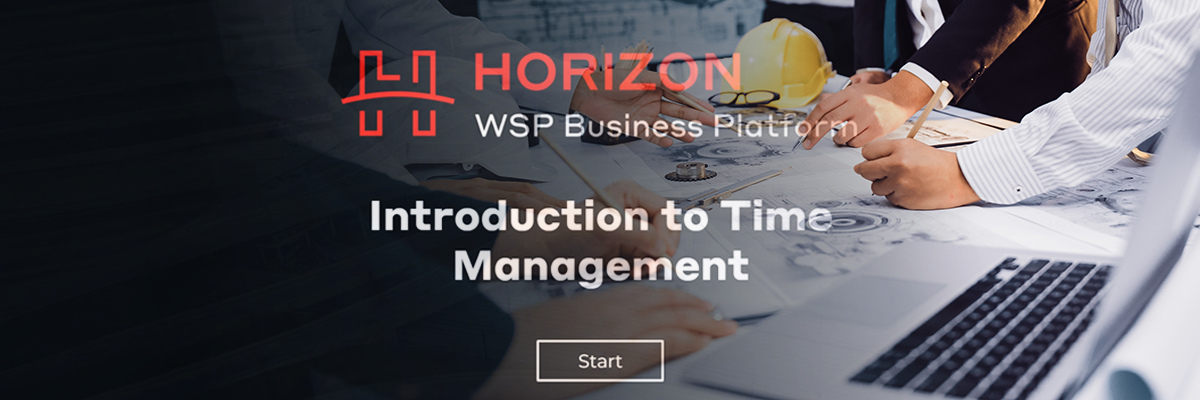

We helped modernize 40 bilingual courses with refreshed branding, WCAG accessibility, and engaging interactivity — deployed to 65,000 employees across the US and UK with 95% positive learner response.

Legacy certification training for medical radiation technologists has been rebuilt in modern tools — updated for accessibility, current branding, and self-paced digital delivery serving healthcare professionals nationwide.


Transformed outdated in-person coach training into a modern blended learning program — eLearning for foundational knowledge, local workshops for on-field skills — serving 32,000+ members with a 733% increase in training revenue.
Tell us what you’re working on. We’ll give you an honest read on what it takes — and where to start.